Can Lightroom's New AI Really Fix Blinks on Your Phone?
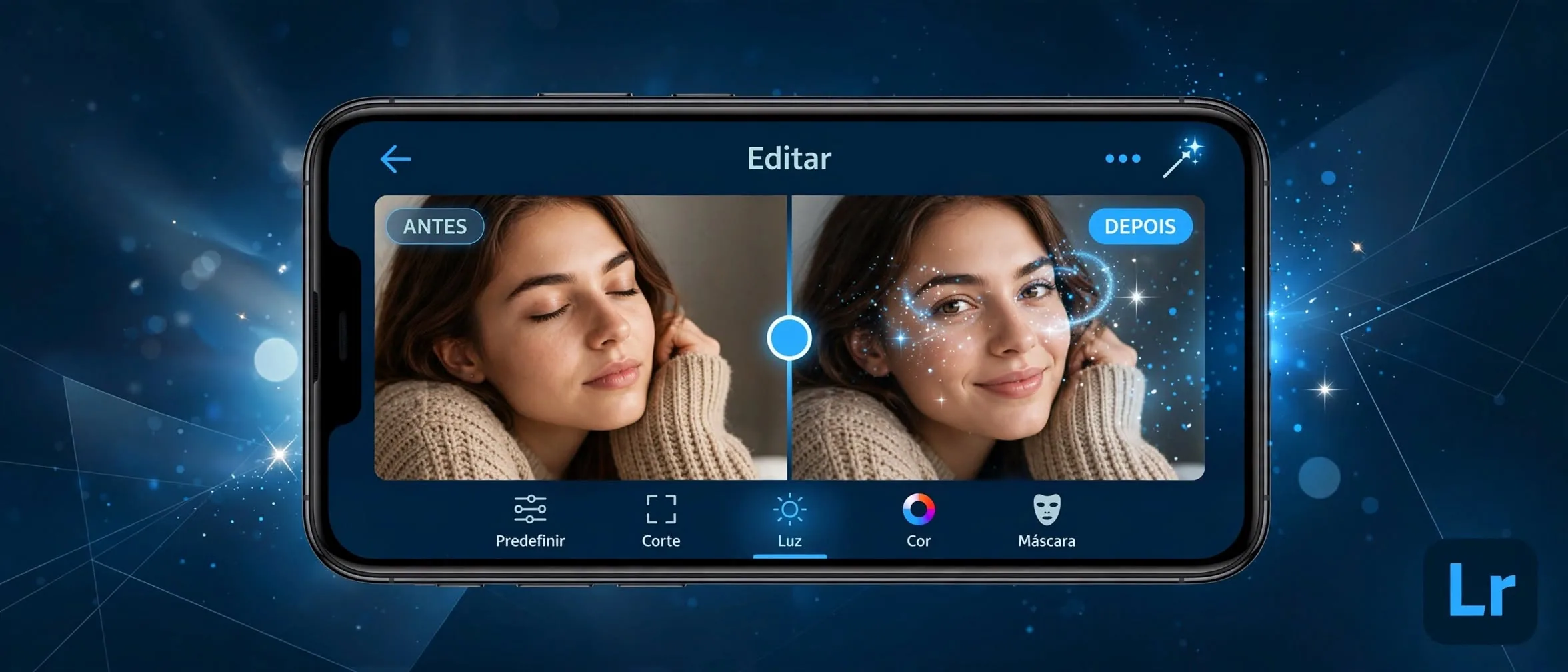
According to The Verge, Adobe has updated the mobile version of Lightroom for iOS, iPadOS, and Android with a tool designed to fix a common photography nuisance: people blinking right when the shutter clicks.
How does the new AI blink repair work?
When the Lightroom mobile app detects a closed eye in a portrait or group shot, it displays a new Open Eyes Quick Action icon directly over the image. Unlike older desktop tools that awkwardly paste fragments from another picture, this feature relies on generative AI.
The software scans other photos of the same subject inside your local Lightroom library. It uses those reference images to match the exact color, size, shape, lighting, and pose of the person's eyes, blending the generated replacement seamlessly into the shot.
How to use the feature on your phone
Accessing the tool takes just a few seconds once your photo is loaded in the mobile application.
- Open the Lightroom mobile app on your smartphone or tablet.
- Select a photo where a subject has their eyes closed.
- Look for the new Open Eyes Quick Action icon that appears automatically over the image.
- Tap the icon to let the generative AI process and replace the closed eyes.
- Review the result and save your edited image.
Is it worth it for your mobile workflow?
Free users get a strict limit of just two tries with the Open Eyes tool before the app prompts them to subscribe to an Adobe Creative Cloud plan for more AI credits. If you shoot casual group photos frequently on your phone, those two free trials run out instantly.
For professional photographers or mobile creators already paying for Adobe subscriptions, it saves valuable time compared to jumping into desktop software. However, casual users who only blink-correct once a moon cycle will likely find the paywall too steep for a single mobile shortcut.
Sources
Frequently asked questions
- Which platforms support the Lightroom mobile eye repair tool?
- The feature is available on the Lightroom mobile application for iOS, iPadOS, and Android devices.
- How many times can I use the feature for free?
- According to reports, free users receive exactly two trials before the app requires a paid Creative Cloud subscription.
- How does the AI ensure the eyes look natural?
- The AI scans other pictures of the same individual stored in your Lightroom library to accurately match their specific eye color, shape, and lighting.
Comments
0 commentsDeixe seu comentário
Be the first to comment.
Continue Reading
Can a $32M Open Model Beat Big Tech? Inside Ripple-65B
Ricursive launches open Ripple-65B coding model

WhatsApp Just Added AI Outpainting: How to Expand Photos Instantly
WhatsApp tests AI to expand photo backgrounds
Google's New AI Video Tool: A Pro Workflow for Cheap Clips
Google Omni 1.2 Flash cuts video costs