Meta’s New AI Avatar Isn't Just for Show: Is It Useful?
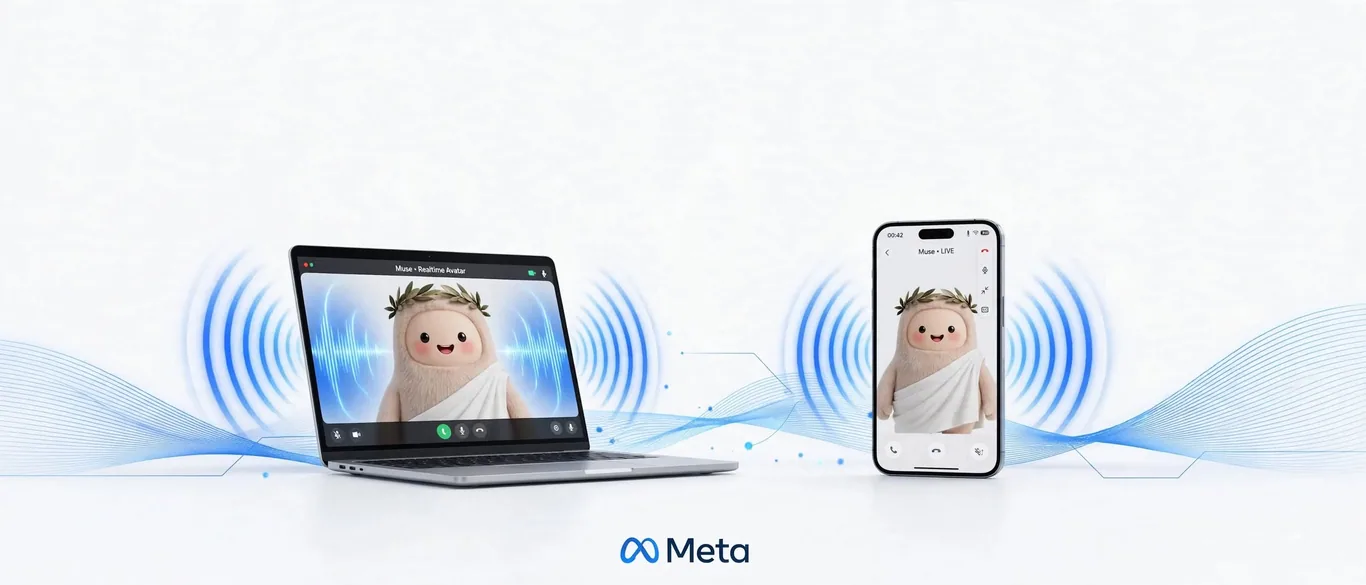
Beyond text: The new Muse interface
The Meta Muse AI agent now features a real-time voice mode with animated avatars. According to reports from The Verge and TechCrunch, these digital representations—ranging from animals to human-like figures—animate in sync with the agent's speech, using subtle gestures to match the tone of the conversation.
How it works in practice
To start a session, users access the Muse interface on the iOS app or web. The system allows you to:
- Customize the look: Select from various avatars in the settings menu.
- Adjust the tone: Ask the agent to modify its voice style or choose from presets.
- Interact in real-time: Engage in voice conversations where the avatar responds with facial expressions.
The feature is currently available in the U.S. and is slated to arrive on Meta’s AI glasses and the upcoming “Muse Charm” wearable later this year.
Verdict: Is it worth your time?
If you are looking for pure efficiency, the uncanny nature of a digital avatar might be a distraction rather than a tool. While the animation is responsive, The Verge noted that the agent still experiences pauses when looking up information, reminding you that it is processing data rather than just chatting. For most professional workflows, this remains an experimental interface rather than a replacement for text-based agents.
Sources
- Muse has a voice mode now — theverge.com
- Meta says US users can now video chat with their Muse AI avatar — techcrunch.com
Frequently asked questions
- Can I customize my Muse AI avatar?
- Yes, Meta allows users to choose from various avatars, including animals or human-like characters, directly within the Muse settings.
- Does the Muse AI avatar work in real-time?
- Yes, the avatar animates in sync with the AI's voice. However, users may notice short pauses when the agent is fetching information or performing complex tasks.
Comments
0 commentsDeixe seu comentário
Be the first to comment.
Continue Reading
Can a $32M Open Model Beat Big Tech? Inside Ripple-65B
Ricursive launches open Ripple-65B coding model

WhatsApp Just Added AI Outpainting: How to Expand Photos Instantly
WhatsApp tests AI to expand photo backgrounds

Google's New AI Video Tool: A Pro Workflow for Cheap Clips
Google Omni 1.2 Flash cuts video costs